
Identify
Identify a tick from a photo.
Choose or capture a photo, crop it, and submit. You get a species with its scientific name and a likelihood score, the visual clues behind the call, and clear next steps.
Download on the App Store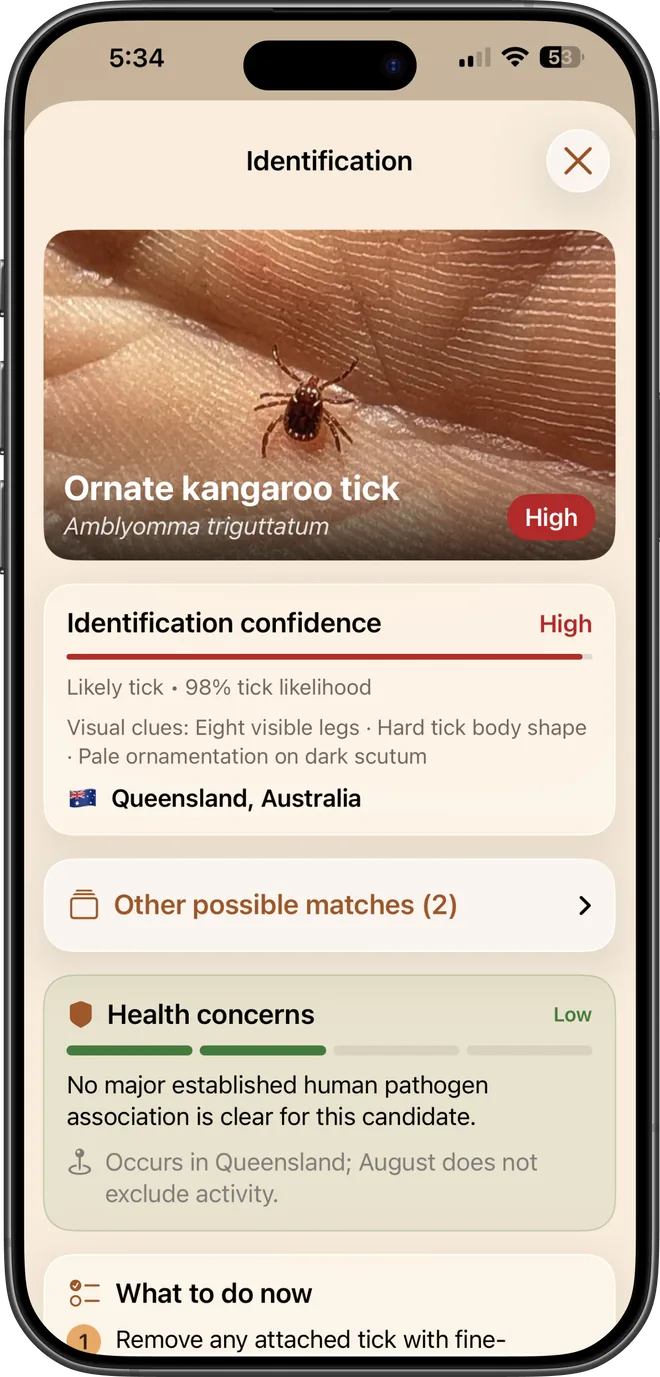
Species and likelihood
A common and scientific name with a likelihood score, rather than a bare label you cannot weigh up.
Shows its reasoning
The visual clues behind the call (body shape, leg count, ornamentation, scutum markings) so you can sanity-check it yourself.
Alternative candidates
Other plausible species are listed with their own confidence, because a single photo often cannot separate close relatives.
What to do now
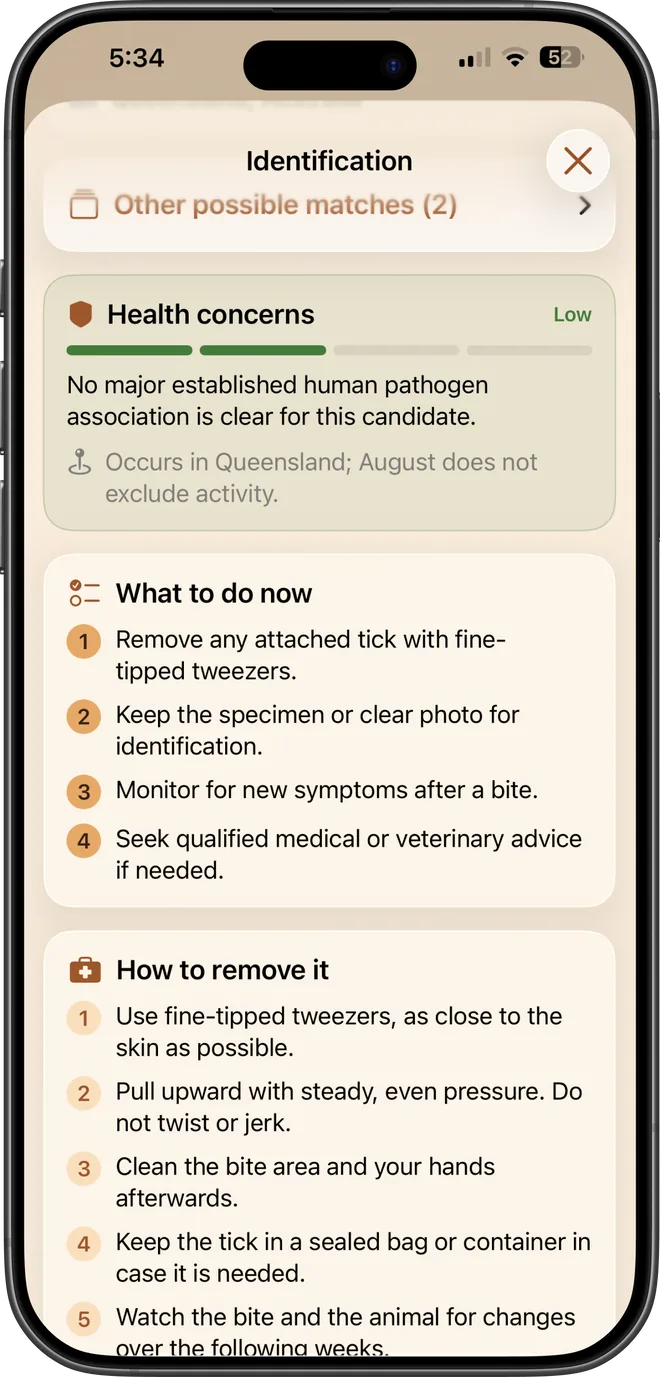
Removal steps, what to watch for, and when to seek medical or veterinary advice.
What it does not do. Identification is visual assistance only. A species guess is a likelihood estimate, not a diagnosis, and it cannot rule out a tick or tell you whether disease has been transmitted.
Common questions
- How accurate is the tick identifier?
- It returns a likelihood, not a certainty. A clear, close, well-lit photo of the tick's back gives the best result. Treat it as a starting point and keep the tick if you can, because a doctor or vet can identify a preserved specimen far more reliably.
- Does my photo leave my phone?
- Only when you deliberately submit it. You choose the image, review the crop, and select Analyze before anything is sent. Source metadata such as GPS coordinates is stripped first.